
Introduction
Cyber Security Tips for Beginners are becoming more important than ever in today’s digital world. With the rapid growth of smartphones, online banking, social media, and digital payments, our personal information is constantly exposed to the internet.
Every day, millions of people become victims of hacking, online fraud, identity theft, and data leaks. Most of these attacks happen because users are not aware of basic cyber safety rules.
By following Cyber Security Tips for Beginners, you can protect your data, money, privacy, and digital identity. This article will guide you step by step with simple, practical, and easy-to-follow methods to stay safe online.
What Is Cyber Security?
Cyber security means protecting your devices, networks, data, and online accounts from unauthorized access, attacks, and damage.
In simple words, cyber security helps you stay safe from:
- Hackers
- Viruses
- Online scams
- Phishing attacks
- Data theft
- Malware
Learning Cyber Security Tips for Beginners helps you become a responsible and smart internet user.
Why Cyber Security Is Important for Beginners
Many beginners think, “Why would anyone hack me?”
This is a dangerous mindset.
Hackers target beginners because:
- They use weak passwords
- They click unknown links
- They install unsafe apps
- They share personal details easily
Benefits of following Cyber Security Tips for Beginners:
Protects your personal data
Saves your money
Prevents identity theft
Keeps devices secure
Builds digital confidence
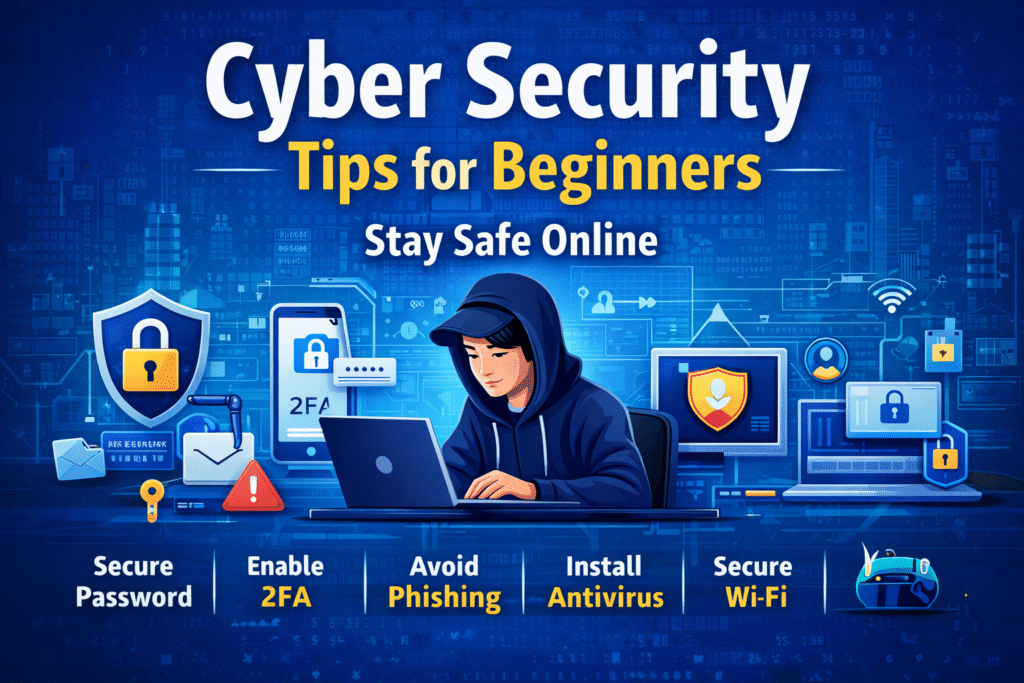
Before learning Cyber Security Tips for Beginners, you must understand common threats.
1. Malware
Malware is harmful software that damages your system.
Examples:
- Virus
- Trojan
- Spyware
- Ransomware
2. Phishing Attacks
Fake emails or messages that steal your passwords.
3. Hacking
Unauthorized access to your accounts.
4. Identity Theft
Using your personal data for fraud.
5. Online Scams
Fake job offers, lottery messages, and payment fraud.
Knowing these threats makes Cyber Security Tips for Beginners more effective.
1. Create Strong and Unique Passwords
A strong password is the foundation of cyber security.
Tips:
- Use at least 12 characters
- Mix letters, numbers, symbols
- Avoid name and birthdate
- Never reuse passwords
Example:
❌ bhavana123
✅ B@v#9Lx!27pQ
This is one of the most important Cyber Security Tips for Beginners.
2. Use Two-Factor Authentication (2FA)
Two-factor authentication adds extra security.
It requires:
- Password
- OTP / fingerprint / app code
Always enable 2FA on:
- Social media
- Banking apps
- Cloud storage
2FA is a powerful part of Cyber Security Tips for Beginners.
3. Keep Your Software Updated
Outdated software contains security gaps.
Always update:
- Mobile OS
- Windows
- Browsers
- Apps
- Antivirus
Updates fix bugs and vulnerabilities.
This is a simple but effective Cyber Security Tip for Beginners.
4. Install Trusted Antivirus Software
Antivirus protects your device from malware.
Good antivirus features:
- Real-time protection
- Virus scanning
- Web security
- Firewall
Examples:
- Windows Defender
- Avast
- Kaspersky
- Bitdefender
Antivirus is essential in Cyber Security Tips for Beginners.
5. Avoid Clicking Unknown Links
Never click suspicious links from:
- Emails
- Telegram
- SMS
- Social media
They may contain malware.
Always verify before clicking. This rule is central to Cyber Security Tips for Beginners.
6. Secure Your Wi-Fi Network
An open Wi-Fi network is dangerous.
Steps:
- Change default router password
- Use WPA3 encryption
- Hide network name
- Disable public access
A secure network supports Cyber Security Tips for Beginners.
7. Be Careful on Social Media
Oversharing helps hackers.
Avoid sharing:
- Phone number
- Address
- Bank details
- Travel plans
- ID photos
Set privacy settings properly.
Social media safety is part of Cyber Security Tips for Beginners.
8. Backup Your Data Regularly
Data backup saves you during attacks.
Backup options:
- Google Drive
- OneDrive
- External hard drive
- Cloud storage
Backups protect you from ransomware.
This is an important Cyber Security Tip for Beginners.
9. Use Secure Websites Only
Always check website security.
Look for:
- https://
- Lock icon
- Trusted domain
Avoid entering data on unsafe websites.
This supports Cyber Security Tips for Beginners.
10. Download Apps from Official Stores
Only download apps from:
- Google Play Store
- Apple App Store
- Microsoft Store
Avoid third-party websites.
Unsafe apps steal data.
This is a core rule in Cyber Security Tips for Beginners.
11. Learn to Identify Fake Emails
Fake emails look real.
Warning signs:
- Urgent messages
- Spelling mistakes
- Unknown sender
- Fake logos
- Asking for passwords
Never share sensitive info.
Email awareness is vital in Cyber Security Tips for Beginners.
12. Protect Your Mobile Phone
Your phone contains personal data.
Tips:
- Use screen lock
- Enable remote wipe
- Avoid unknown apps
- Turn on device tracking
Mobile safety is part of Cyber Security Tips for Beginners.
13. Use VPN on Public Wi-Fi
Public Wi-Fi is risky.
A VPN encrypts your data.
Use VPN in:
- Cafes
- Airports
- Hotels
- Libraries
VPN improves Cyber Security Tips for Beginners.
14. Monitor Your Online Accounts
Check regularly for:
- Unknown logins
- Password changes
- New devices
- Unusual activities
Early detection saves you.
Monitoring is key in Cyber Security Tips for Beginners.
15. Learn Basic Cyber Awareness
Stay updated with cyber news.
Follow:
- Cyber blogs
- Tech channels
- Security websites
Knowledge strengthens Cyber Security Tips for Beginners.
Cyber Security Tips for Students
Students are common targets.
Tips:
- Secure study accounts
- Protect exam data
- Avoid pirated software
- Use strong passwords
Students must follow Cyber Security Tips for Beginners strictly.
Cyber Security Tips for Working Professionals
Professionals handle sensitive data.
Rules:
- Lock office systems
- Use company VPN
- Avoid USB sharing
- Secure emails
Professional safety depends on Cyber Security Tips for Beginners.
Cyber Security Tips for Online Shoppers
Online shopping risks fraud.
Tips:
- Use trusted sites
- Avoid unknown sellers
- Check reviews
- Use secure payment
Shopping safely is part of Cyber Security Tips for Beginners.
Common Cyber Security Mistakes
Avoid these:
❌ Weak passwords
❌ Ignoring updates
❌ Sharing OTP
❌ Using pirated software
❌ Clicking ads blindly
Avoiding mistakes improves Cyber Security Tips for Beginners.
How Long Does It Take to Become Cyber Safe?
Timeline:
7 days – Awareness
30 days – Habit formation
90 days – Strong security mindset
With practice, Cyber Security Tips for Beginners become natural.
Future of Cyber Security
In future:
- AI security systems
- Biometric protection
- Advanced encryption
- Smart authentication
Learning Cyber Security Tips for Beginners prepares you for tomorrow.
Conclusion
Cyber Security Tips for Beginners are not difficult to follow. With small daily habits, you can protect your digital life from major threats.
Strong passwords, updates, awareness, and smart behavior can keep you safe online. Start today and build a secure digital future.
Remember: Prevention is better than recovery.





One comment on “Cyber Security Tips for Beginners| A Complete Guide to Stay Safe Online”